NZB Hydra 2 Review
Last Updated: September 9, 2025

| Rating |  |
| Price | Free |
| Features | Comprehensive NZB Meta Search |
| Aggregate Results From Multiple Sources | |
| Built on Python 3 | |
| Supports Numerous NZB Sites |
NZBHydra 2 is the advanced successor to the original metasearch tool, NZBHydra. This enhanced meta search application for newznab indexers and torznab trackers significantly outperforms its predecessor in terms of speed, stability, and features, making it a preferred choice for users.
Often regarded as the “spiritual successor” to NZBMegaSearch, NZBHydra 2 simplifies access to a wide range of newznab indexers and torznab trackers via Jackett. It seamlessly integrates with popular applications like Sonarr, Radarr, Lidarr, and CouchPotato, allowing for a streamlined experience in managing downloads.
This software is consistently updated and maintained, ensuring users benefit from ongoing improvements and bug fixes.
The Program
NZBHydra 2 boasts a variety of enhancements and features that set it apart from earlier versions. Key functionalities include:
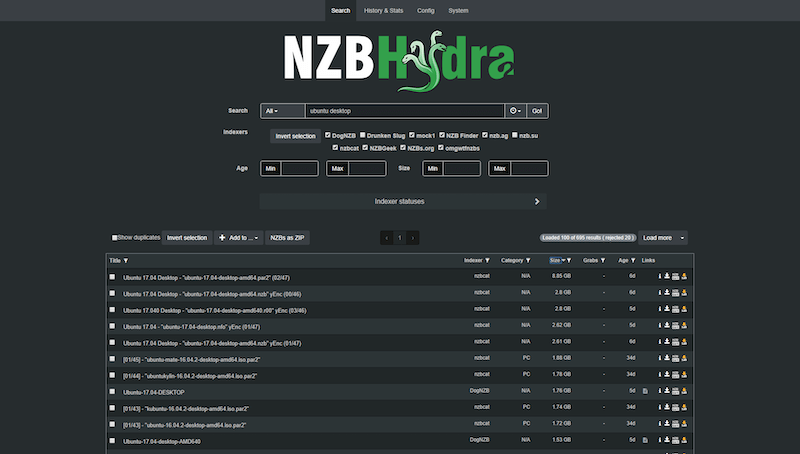
Comprehensive searches across popular indexers such as Anizb, BinSearch, and NZBIndex, along with any newznab-compatible indexers. It consolidates results, applies various configurable filters, identifies duplicates, and presents everything in a unified interface.
Directly adds results to NZBGet or SABnzbd for efficient download management.
Full support for media IDs across platforms like IMDB, TMDB, TVDB, TVRage, and TVMaze, along with the ability to convert between them.
Intelligent query generation that creates a search query when only a media ID is provided, even if the indexer lacks support for that ID or if no results are found.
Compatibility with a wide range of applications, including Sonarr, Radarr, NZBGet, SABnzbd, nzb360, CouchPotato, Mylar, LL, Sick Beard, and Jackett/Cardigann.
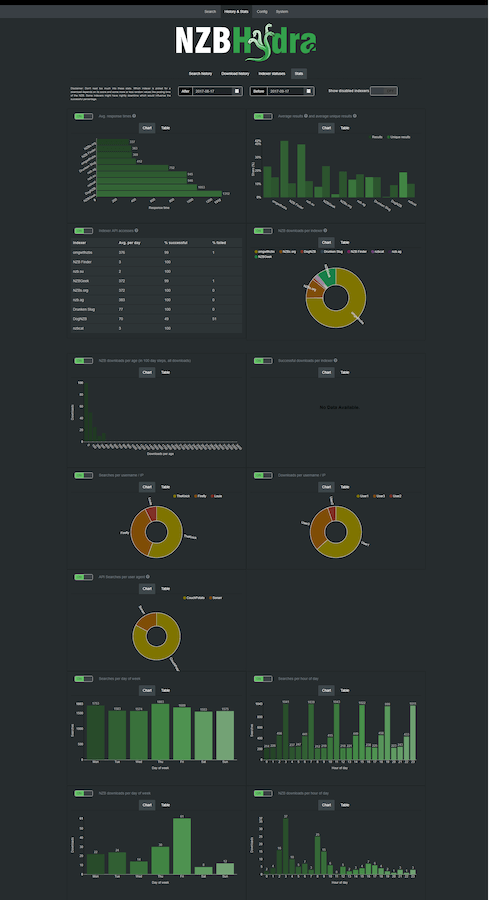
Comprehensive search and download history, along with detailed statistics such as indexer response times, download shares, and NZB age.
Support for user authentication and multi-user access.
Automatic updates of NZB download statuses by querying connected downloaders.
RSS feed support with customizable cache settings.
Torrent capabilities, including:
- GUI-based torrent searches that allow you to download torrents to a designated blackhole folder.
- A dedicated Torznab-compatible endpoint for API requests, facilitating the merging of multiple trackers.
High configurability to tailor the experience to individual user preferences.
The option to save torrents in a blackhole folder and utilize the Torznab API endpoint.
Smooth migration of databases and settings from version 1.
Usage and Capabilities
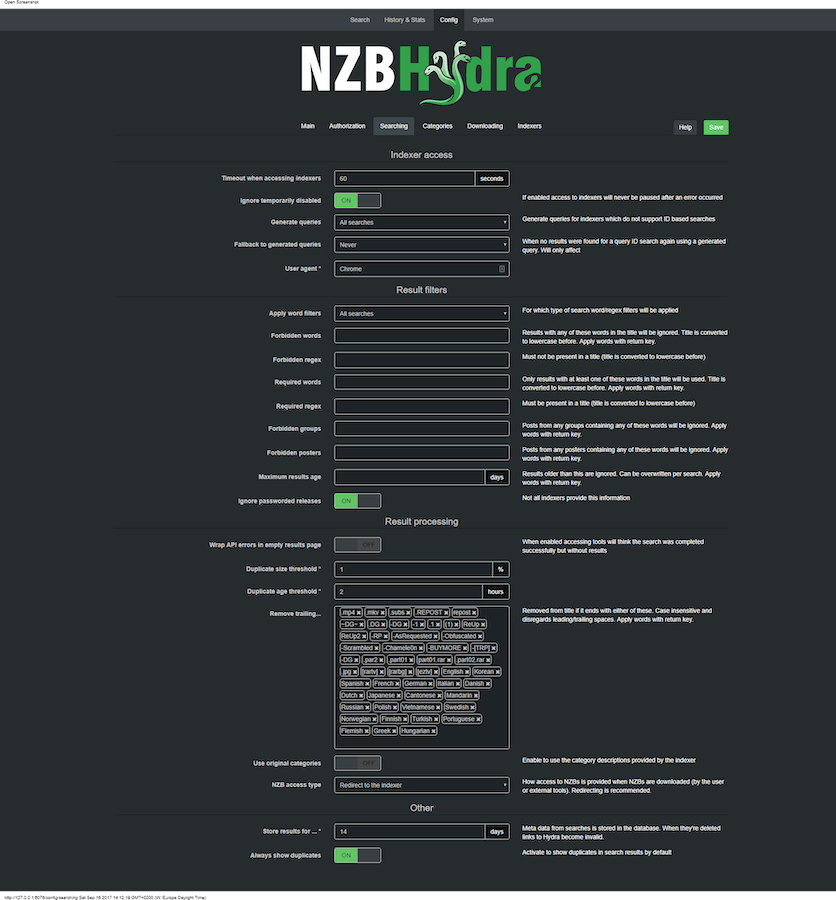
NZBHydra 2 is designed as a highly customizable software solution, enabling users to configure the program to meet their unique requirements. For those familiar with its predecessor, transitioning to NZBHydra 2 will be relatively straightforward. However, new users might encounter a learning curve due to the extensive range of options available.
Visually, the software offers customizable themes, including a modern dark mode, enhancing aesthetics and reducing eye strain during prolonged use.
The application supports major indexers like Binsearch and NZBIndex, providing a plethora of search options to refine results. These options include:
Selection of specific indexers.
Filters for minimum and maximum NZB age.
Controls for minimum and maximum NZB size.
Category-specific search functionalities.
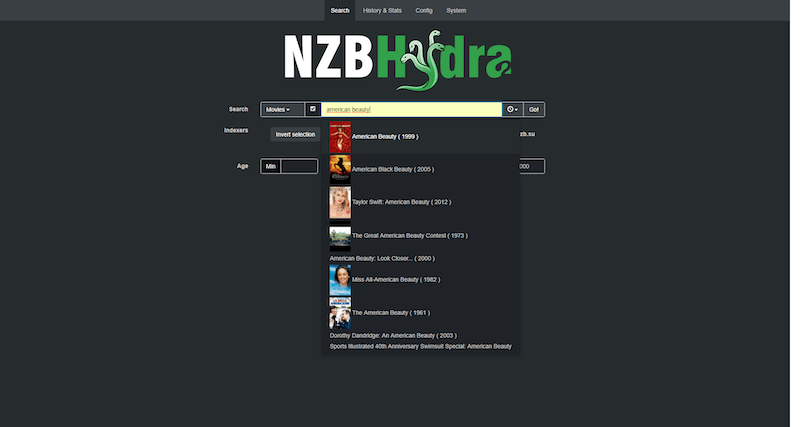
Additionally, users can search across various media platforms such as IMDB, TVRage, and TVDB.
Installation
To install NZBHydra 2, simply download the latest version and extract it to your system. If your Java installation is outdated, you will need to install OpenJDK.
For Windows (64-bit), you can launch NZBHydra2.exe, which will create a tray icon, or use NZBHydra2 Console.exe to open a console window. Note: Avoid using directories like C:\Program Files or C:\Program Files (x86).
On Linux, execute nzbhydra2 (currently compatible with x64 systems). You may need to run chmod +x first.
After a brief moment, your browser should automatically direct you to http://127.0.0.1:5076.
How to Use
To begin utilizing NZBHydra 2, open the application on your computer and enter your desired query in the search bar. You can then select the indexer of your choice and apply any additional filters. First-time users may need to configure the indexers they plan to use within the settings menu.
Once your search results are displayed, simply click the desired link to download it and transfer it to your newsreader. After transferring the NZB file to your newsreader, you can initiate the download process.
Conclusion
NZBHydra 2 is packed with impressive features that significantly enhance the efficiency of searching through various indexers. Its compatibility with leading indexers and applications like Sonarr, Radarr, and Lidarr solidifies its status as an essential tool for users. Compared to its predecessor, NZBHydra, it offers a more robust and user-friendly experience. While newcomers to Usenet may face some challenges in navigating the software, overcoming this initial learning curve can lead to a highly reliable and effective tool for managing downloads.