Binreader Review
Last Updated: Jan 30, 2022
| Rating |  |
| Price | free |
| Retention | 500 Days |
| Free Trial | None |
| Features | Secure and Free NZB Downloader |
| Simple User Interface | |
| RAR and PAR2 Handling |
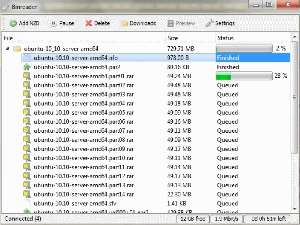
Binreader is a simple and secure newsreader capable of downloading NZB files from Usenet. It works on Windows, Mac and Linux platforms, and also has a portable version that allows users to start the application via a USB stick and plug on other portable devices. Binreader provides security to its users by supporting SSL encryption and IPv6. It is also able to handle RAR and PAR2 files and also gives you the option to preview files while downloading.
Editor's Tip: : Easynews is our top choice for quality Usenet search. It is an all-in-one service that includes everything needed to get up and running with Usenet:
- Unlimited Usenet access
- Highest quality retention (and growing)
- Built-in search interface with fast, accurate results and search previews
- Search Usenet without NZBs
- No software needed
Highlighted Features
Binreader has most of the features most users require from an NZB downloader. It can also work with any popular Usenet service provider granted that the user has an active subscription with their desired Usenet service.
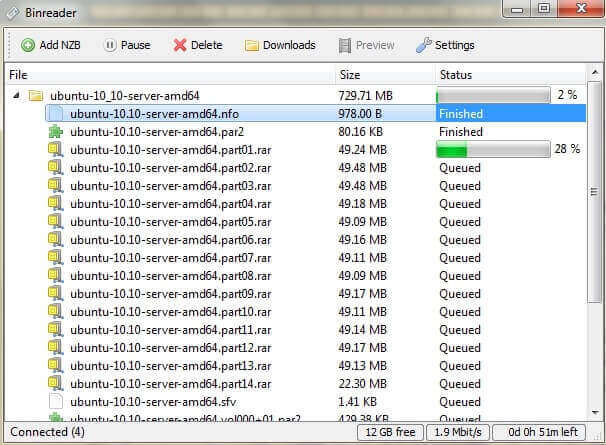
Binreader’s Key Features include:
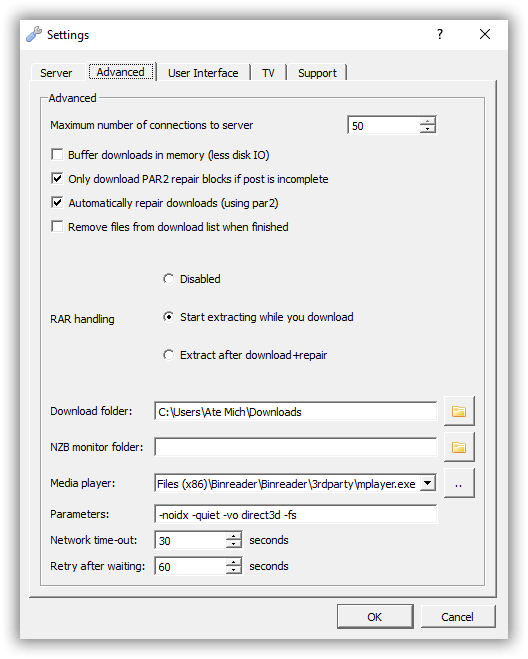
- PAR2 File Handling
- RAR Handling (three options available)
- Disabled
- Start extracting while you download
- Extract after download plus repair
- Media Files Preview while downloading
- Multi connection support (up to 50 connections)
- If post is incomplete, it is possible to download only PAR2 repair blocks
- Using PAR2, Binreader can automatically repair
- Set network time-out
- Set “retry after waiting” value
- Accepts parameters: -noidx, -quiet, -vo direct3d, -fs
Pricing and Plans
Binreader is completely free to install and use. While their website is no longer active, the software can still be found on various Usenet-related websites like Binaries4all.
Usage Overview
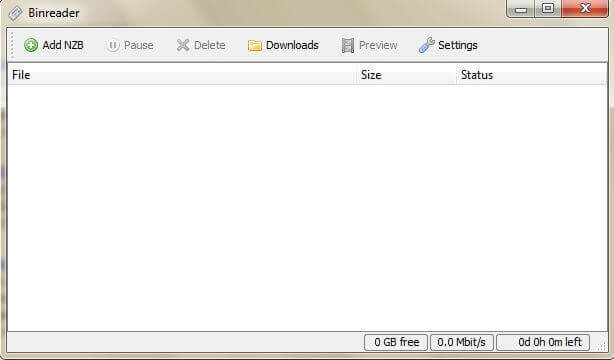
Binreader only has the most basic of functionalities as far as newsreaders are concerned. But while it does not have advanced features like speed limiters or download schedulers, Binreader does its job well and in an efficient manner. It has an easy-to-use interface and only a few functions that users can enjoy and not be confused with. Plus, as mentioned, it does work on multiple operating systems and has a portable version.
Installation
Binreader can run on Windows, Mac and Linux. The installation process of this software is pretty straightforward, especially when it comes to the Windows and Mac operating systems.
For Windows, simply download the .exe file and follow the installation instructions as stated on your setup wizard. Once you’re done with the installation process, it will immediately prompt you to configure your settings if you indicate that you want to start Binreader right after installation.
For Mac, download a .dmg file from a reliable software website. You would simply need to open the downloaded file and it will automatically install the software. After which, you can move the program to the applications folder or create a shortcut on your dock or desktop.
Configuration
Once you are able to install Binreader, you will initially be asked to enter your server information. This includes the host name, username, and password. Make sure you click on the SSL options if your server supports SSL encryption. If you do not have a Usenet provider yet, make sure you check our list of the best Usenet service providers and see which one would best suit your needs.
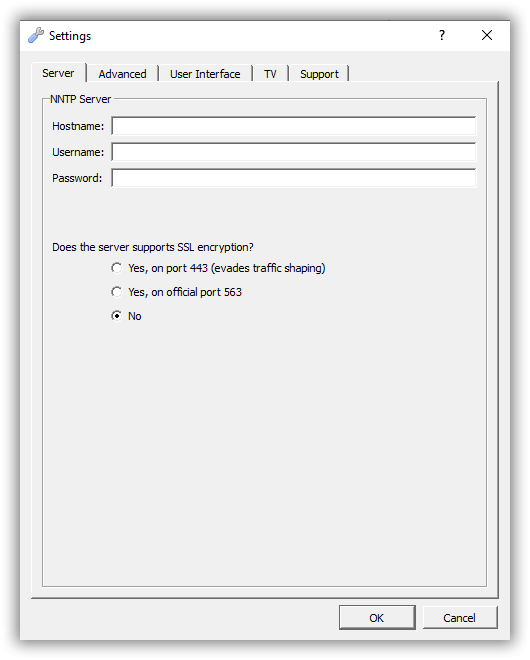
After you’ve configured your NNTP server settings, you can go through the advanced settings and set the number of connections you want. Binreader allows users to use up to 50 multiple connections. Of course, this also depends on the maximum allowable connections by your service provider. On the advanced settings, you can also enable or disable certain functions, choose your desired RAR handling, set parameters, indicate your media player and designate folders. This is also where you can set the network timeout and the “retry after waiting” function.
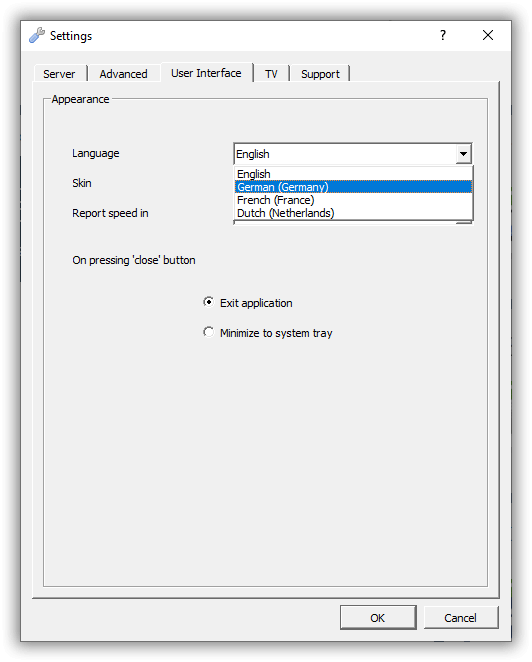
Your Binreader user interface can also be configured according to your desired language, skin and reported speed. This newsreader supports 4 languages which includes English, German, Dutch and French.
Scheduling and Automation
Since Binreader is a very basic NZB downloader, it does not have a smart scheduler feature or even a speed limiter to control the amount of bandwidth the downloading process consumes. However, as previously mentioned, users can set a network timeout (in seconds) from the advanced settings section, as well as set the retry time after waiting your desired number of seconds.
Usability
Binreader does not have a built-in search feature. You will be required to download NZBs elsewhere and select the NZB from your device to begin downloading from this software. You can check out our list of best NZB sites where you can get files from.
That being said, if you have an active account with an NZB site, Binreader would be a good NZB downloader, since it is very simple and easy to use. Its interface presents no difficulty in using and is free from any clutter or unnecessary tabs or buttons.
Conclusion
As far as the basics are concerned, Binreader pretty much has it covered. As an NZB downloader, it provides users with most of the usual features that one needs to download NZB from Usenet. However, there are some features that a lot of users may also look for that Binreader does not have, including multi server support, speed limiters or a smart scheduler feature. And based on what we’ve gathered, the Binreader does not work properly when being upgraded to a newer version. Users would have to uninstall the old version and reinstall the newer version, which then resets your originally configured settings.
All in all, while Binreader may have some flaws and lacks a few useful features, this NZB downloader still performs quite well, especially as a free software.