How to Detect Usenet Traffic Shaping
Last Updated: Aug 27, 2019
“Traffic shaping” is a nice-sounding term, but it refers to your ISP cutting your speed when you access certain services online. Oftentimes, torrent traffic and USENET traffic will be “shaped”—throttled—by the ISPs. You can test to see whether yours is being throttled and take actions if it is.

Running the Test
If you’re getting slow USENET speeds, the first place to check is with your USENET provider. Problems do come up now and then and most of them will be happy to help you troubleshoot any issues you’re having.
You should also do any standard troubleshooting—checking your router, etc.—to ensure that you’re not having issues on your end. The big sign that you’re being throttled is when your network speeds are as promised, excepting those occasions when you access specific services, such as the aforementioned.
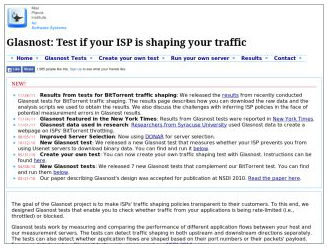
If you suspect that you are being throttled, you can check using the Glasnost Test. The test takes around 8 minutes to run and you shouldn’t be downloading any large files while you are running it. The test will check for throttling on Bittorrent, eMule, Gnutella, Email, HTTP, SSH, USENET and streaming video services. If you’re getting the runaround from your ISP, this can give you some objective evidence to argue your case with.
What if They Are
If your ISP is throttling your traffic, there are some measures you can take.
First, check with your USENET provider or their help documents to see if you can access the USENET through alternate ports. The common ports are 119 and 563. Port 563 is generally used as the SSL—encrypted—port. Your USENET provider may have other ports that you can hook up over, preventing you from getting throttled.
If this doesn’t work, you can try a VPN service. The VPN service encrypts all your traffic so you’re ISP cannot see what you are doing or what you are accessing. This makes it impossible for them to selectively throttle your traffic.
It’s always best to use the SSL port with USENET services for privacy reasons. The VPN will offer you encryption, as well, but SSL is adequate for privacy if you have it. If you’re getting throttled, however, be aware that a VPN might take care of the problem for you and, with ISPs being very dodgy about these practices, it might be much more efficient and less frustrating than going around and around with your provider. Just shut them out of your traffic with a VPN.
Useful Article Link
- Glasnost Test — http://broadband.mpi-sws.org/transparency/glasnost.php#tests