Pan Newsreader Review
Last Updated: Jan 26, 2022
| Rating |  |
| Price | free |
| Retention | 500 Days |
| Free Trial | None |
| Features | Basic Newsreader Functions |
| Offline Reading Function | |
| Support YEnc |
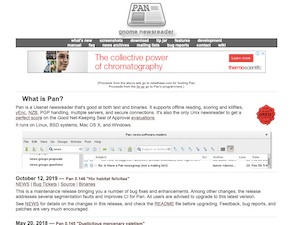
Pan is a newsreader for multiple platforms that attempts to satisfy both the needs of new users and power users. Generally, we think that Pan is able to pull this off not only with its standard newsreader features but also with its other functions that include yEnc support, offline newsreading, article filtering, multiple connections, and more.
Based on their website, Pan is the only Unix newsreader to score 100% on the Good Net-Keeping Seal of Approval Evaluation, which is a designation that indicates that a piece of Usenet software meets a set of usability and formatting standards issued by Good Housekeeping Magazine.
Since this program is not specifically designed as an NZB handler, it is likely best for those who want a pure Usenet newsreader without having additional new enhancements like what some of the best newsreaders today provide.
Highlighted Features
Pan newsreader is mainly good for reader news and binaries. It has several basic, but good features that provide the decent function for newsreader purists.
- Linux, Windows & Mac compatible (including BSD Systems)
- Reading and writing news, threading articles, and replying via email, are supported
- Offline reading function
- Advanced sorting function
- Multiple connections are supported, so articles can be read while binaries are downloading
- Articles can be filtered by regular expression matching, read/unread state, binary/text, etc.
- Keyboard bindings
- Message organization features built in
- Can set parameters for notification based on message content, subject, etc.
- Article headers are cached locally for fast group loading.
- Pan has keyboard bindings for mouse-free newsreading
- Pan supports the decoding of uu, base64, and yEnc-encoded binaries
- uuencode, MIME, and yEnc attachments are all supported.
- Groups multi-part articles
- Powerful download task management
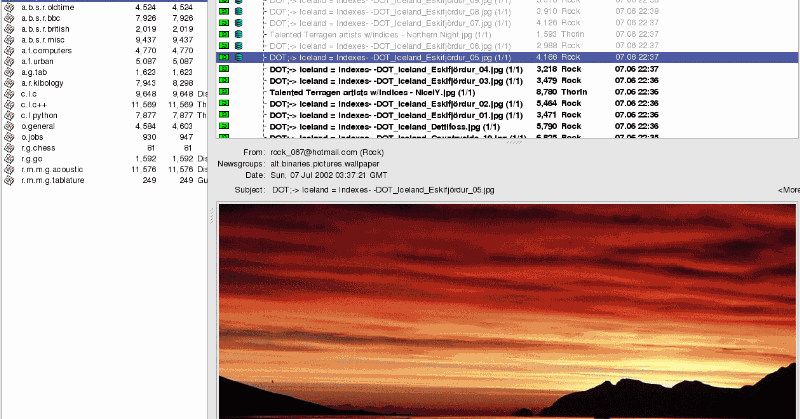
- Can display images in line
- Non-binary, incomplete multipart, and previously saved messages can be filtered out of the article list
- Connections can be encrypted with the TLS protocol.
- Supports multiple servers and concurrent connections
- Configurable main window panes
- Supports NNTP authorization
The current version, Pan 0.149 “Bellevue”, was released in December 2021 and contains major changes to fix certain app errors and add minor features.
Plans & Pricing
While Pan newsreader is free to install and use, donations are encouraged to keep the further development of this software going and so that its developers can continue to provide good customer support.
Usage Overview
Primarily, Pan was developed for the Linux operating system. However, it can also be installed on Windows and Mac. You can download and install this newsreader from the Pan website. After which, it is pretty much easy to get set up. You would simply need to enter your server information, and Pan will automatically download your newsgroup list.
Installation
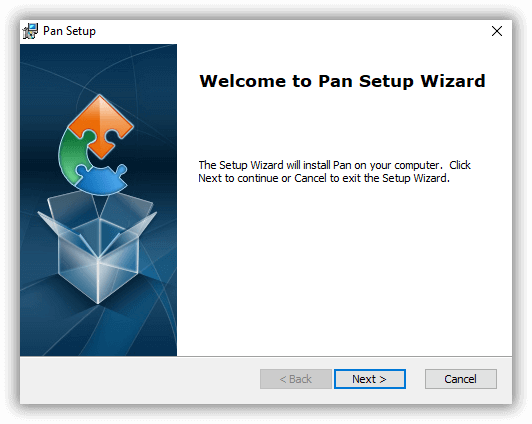
The installation process for Linux would depend on the version of your operating system. For Windows, the latest installer was created last March 2019. Simply download the installer from the Pan website and follow the usual instructions as stated by your setup wizard.
For Mac OS, you can install Pan by compiling it from a source. All information on the newsreader, the processes involved, and the configuration setup can be found on the manual available also on their website.
Configuration
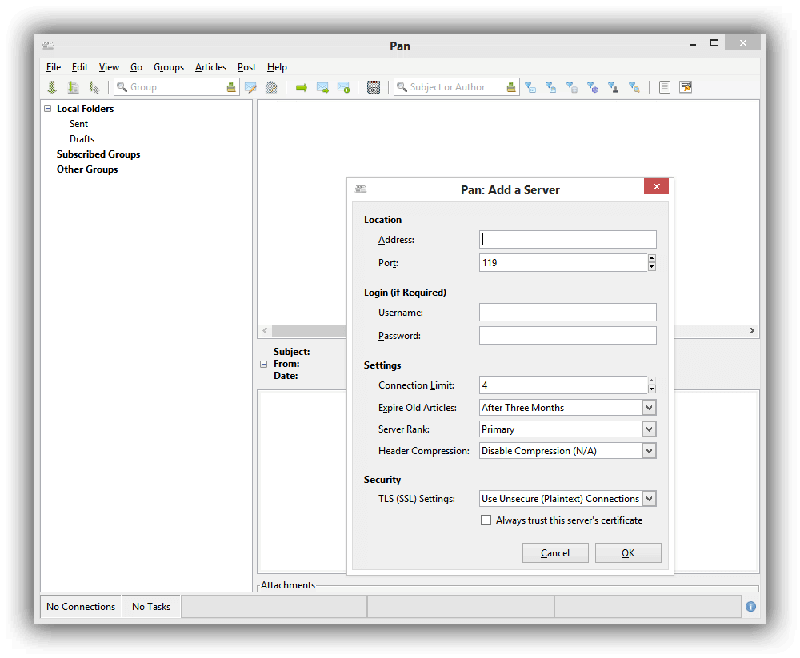
To start using the Pan software, you would need to add a server as seen on the screenshot below. You would need to enter your server address, port number, login information (if required), and other settings details. Make sure you have an active subscription with a reliable Usenet service provider to be able to use this newsreader. Also, be certain to use secure connections to keep your Usenet activity safe and anonymous.
Scheduling and Automation
Since Pan is a basic newsreader without the capabilities of handling NZBs, it does not have any scheduling or automated features like other top newsreaders in the market today. However, that does not mean that Pan does not perform its functions well.
Usability
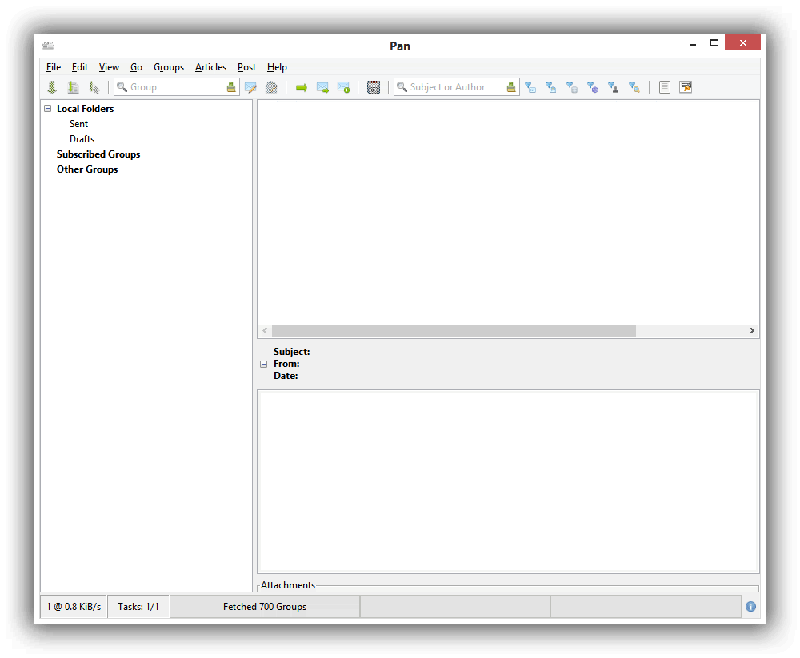
Pan is not a flashy program. It has a very simple interface and very basic functions that appeal to a lot of users who are simply into reading articles from Usenet and browsing through binaries. When you open it up, after having downloaded your list of groups, you’ll see the article headers listed on the top right of the screen, the article contents on the lower left and the list of newsgroups on the leftmost side of the interface. It looks a bit dated, but it is very practical.
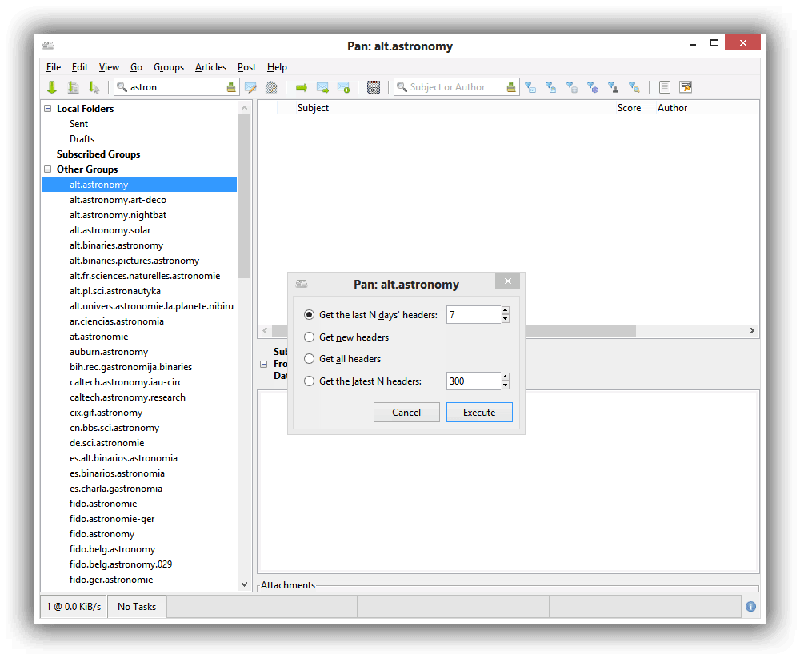
Pan is not a dedicated binary downloader, so users should not expect features that make downloading and managing files easier and more convenient. And while this newsreader may seem dated because of its very basic functions, it still performs well and has a classic interface that a lot of users would be able to enjoy.
Conclusion
Pan may be on the top list of the most basic newsreaders in the industry. And while it has not evolved into having more advanced features like other newsreaders in the market, Pan is still good for reading articles from Usenet and good at binaries. But, of course, if you are into a Usenet client that would allow you to download and extract NZB files, then Pan is definitely not for you. However, if you are a Windows, Mac or Linux user who is into a classic interface and a newsreader that only has basic features, then Pan is a great solution for your Usenet reading, posting and downloading needs.